
If you run a business in Kerala — whether it’s a shop in Thrissur, a restaurant in Ernakulam, or a service firm in Kochi — there is one free tool that can bring you more customers than most paid ads ever will. It’s your Google Business Profile (GBP), and most businesses are using it wrong, or barely using it at all.
As someone who has worked with local businesses across Kerala to improve their online visibility, I can tell you this: the single fastest win in local SEO is a fully optimized Google Business Profile. In this blog, I’m going to walk you through exactly how to do it in 2026.
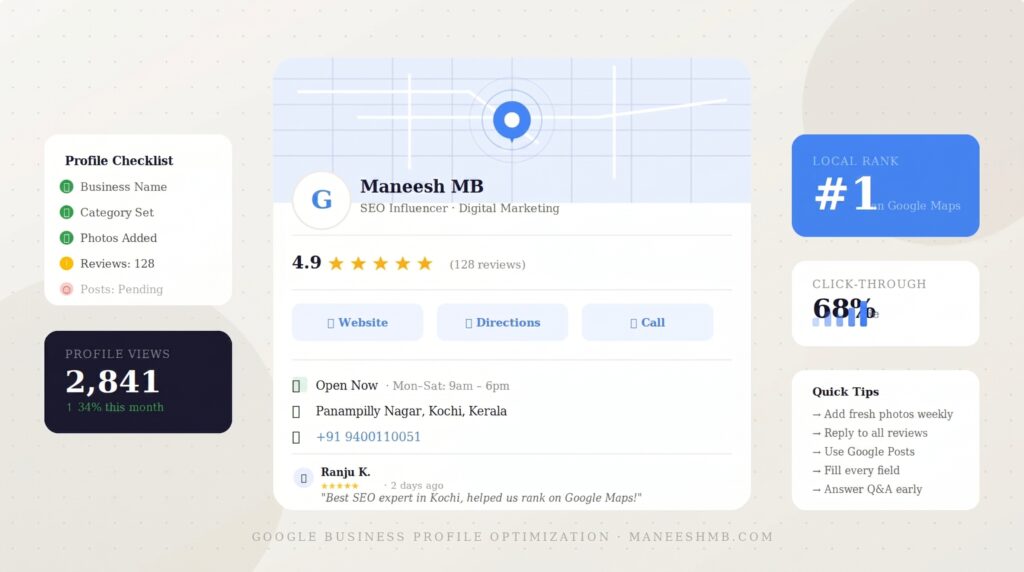
What Is Google Business Profile and Why Does It Matter?
Google Business Profile (formerly Google My Business) is the listing that appears when someone searches for your business or a service you offer near them. It shows up on Google Maps and in the “local pack” — that box with three businesses at the top of search results.
When someone searches “best digital marketing agency in Kochi” or “CA near me,” Google doesn’t just show websites. It shows GBP listings first. If your profile is incomplete, outdated, or missing, you are literally invisible to customers who are actively looking for what you offer.
The best part? It’s completely free. You just need to know how to use it properly.
Step 1: Claim and Verify Your Profile
Before anything else, make sure your Google Business Profile is claimed and verified. Go to business.google.com, search for your business, and follow the verification steps. Google typically verifies by postcard, phone, or video depending on your business type.
An unverified profile cannot be edited fully and will not rank well. This is step zero — skip it and nothing else matters.
Step 2: Fill Every Single Field — No Shortcuts
Most businesses fill in the name, address, and phone number, then leave the rest blank. That’s a mistake. Google rewards completeness. Here’s what you must fill in:
Business Name — Use your exact real-world name. No keyword stuffing. Google has gotten stricter about this.
Category — Choose your primary category carefully. This is one of the most important ranking signals in local SEO. If you’re a digital marketing agency, don’t just pick “Marketing Agency” — also add relevant secondary categories.
Business Description — You get 750 characters. Use them. Write naturally, include your focus keywords, mention your city, and clearly explain what makes your business different.
Hours — Keep these updated, including special holiday hours. Customers who show up at a closed location don’t come back.
Services and Products — List every service you offer with descriptions and pricing where possible. Google uses this to match your profile to more search queries.
Website URL — Always link to your website. This also signals legitimacy to Google.
Step 3: Upload High-Quality Photos Regularly
Profiles with photos receive significantly more clicks and direction requests than those without. Upload real photos — not stock images — of your office, team, products, work samples, and even your neighbourhood.
In 2026, Google also uses image recognition to understand what your business does, so your photos are not just for customers — they’re for the algorithm too.
Add new photos at least twice a month. Fresh content signals that your business is active.
Step 4: Collect and Respond to Google Reviews
Reviews are the single biggest trust signal for both customers and Google. A business with 50 genuine reviews will almost always outrank a competitor with 5 reviews, even if everything else is equal.
Here’s how to get more reviews without violating Google’s guidelines:
- Ask happy customers directly after a positive interaction
- Send a follow-up WhatsApp or email with your Google review link
- Make it easy — give them the direct link, not just “find us on Google”
Respond to every review — positive and negative. Thank people genuinely. Address complaints professionally. This shows both customers and Google that you are an active, trustworthy business.
Step 5: Post Updates Regularly Using Google Posts
Most businesses completely ignore the Google Posts feature inside GBP. This is a missed opportunity. You can post offers, updates, events, and new services directly on your Google listing — and they appear in search results.
Posting once a week with a relevant update or offer keeps your profile active and can give you a small but consistent ranking boost. Think of it as free social media, directly on Google.
Step 6: Use the Q&A Section Proactively
The Questions & Answers section on your GBP allows anyone to ask questions — and anyone to answer them. You should be the one answering, not a random person with the wrong information.
Go in and pre-populate common questions yourself. “What are your working hours?” “Do you offer home visits?” “Do you accept UPI?” Answer these before customers even need to ask.
Final Thoughts: Local SEO Starts Here
Your Google Business Profile is not a set-it-and-forget-it tool. It’s a living, breathing part of your digital presence that needs regular attention. The businesses that show up at the top of Google Maps are not there by luck — they have invested time in keeping their profiles complete, active, and review-rich.
If you’re a business owner in Kochi, Thrissur, or anywhere in Kerala and you’re not getting the local visibility you deserve, start with your GBP today. It’s the highest-ROI action you can take in local SEO right now.
Want a free audit of your Google Business Profile? Reach out to me at hello@maneeshmb.com and let’s see where you stand.
Tags: Google Business Profile, Local SEO, SEO Kochi, Google Maps Ranking, GBP Optimization 2026, Digital Marketing Kerala, Maneesh MB
I switched over a few weeks ago and honestly I do not want to go back anywhere else. The live match tracking is so clear and the odds update instantly which makes placing my picks a breeze. I really enjoy how straightforward the whole experience feels without any confusing menus. Just bring your favorite jersey and settle in for some great action.
Absolutely love the bonuses they offer for new players. It gave me a great start and the gaming experience has been fantastic.